Tutorial 9 of 9
Aurora, Moon calendar and planets
Beginner 7 min
Check the aurora chances for the next three nights, print a Moon calendar for the wall in your language and list the year's planet conjunctions as a calendar.
The other three buttons of the Sky events tab (key 9) look further ahead: Aurora, Moon calendar and Planets and conjunctions. Like everything in Skyfold they use the place in the side panel.
Aurora outlook
Press Get the current NOAA forecast. Skyfold asks the usefulweb.site server for the Kp forecast of the NOAA Space Weather Prediction Center (cached for 30 minutes) and, with Add the cloud forecast for this place ticked, for the MET Norway cloud forecast. No account is needed.
Your place shows your geomagnetic latitude — your distance from the magnetic pole — and the Kp you need for aurora overhead, on the horizon and as a faint glow on camera. The Nights table gives the best period of each night and a chance at your place: high, moderate, low or very low. Three-hour periods shows every period with its Kp, whether it is dark and how cloudy it will be.
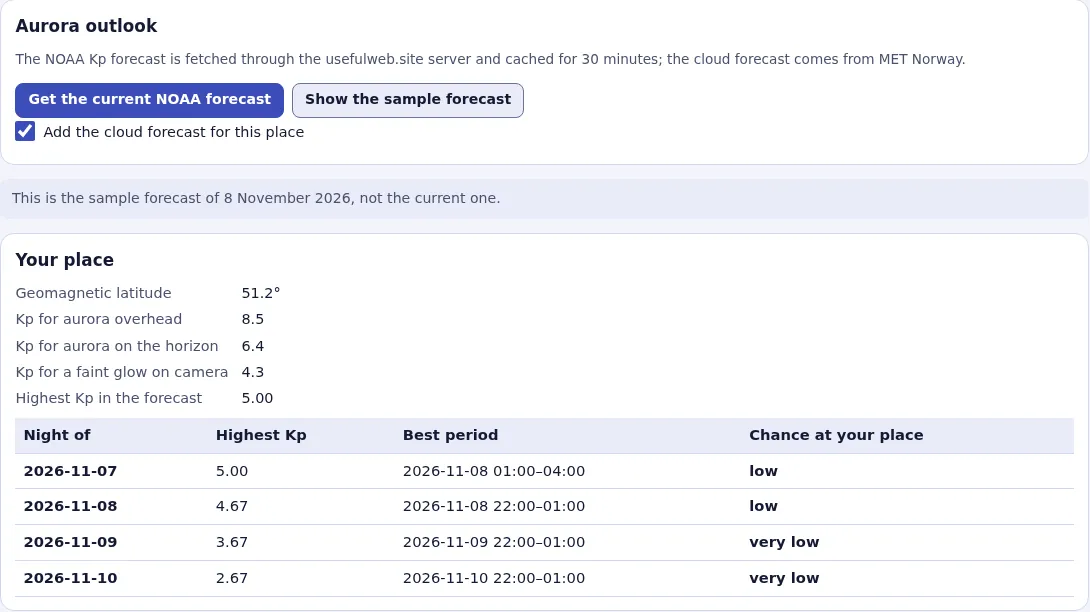
The chances are honest estimates, not promises: Kp forecasts two or three days ahead are often off, and aurora can flare up within minutes. Show the sample forecast loads a saved forecast from 8 November 2026 so you can explore the tab offline.
Print a Moon calendar
Open Moon calendar or the template Moon calendar 2027. On the left you see the page as it will print: every day with the Moon's shape, the lit percentage, moonrise and moonset, the four main phases, perigee and apogee with the distance, and the supermoons highlighted.
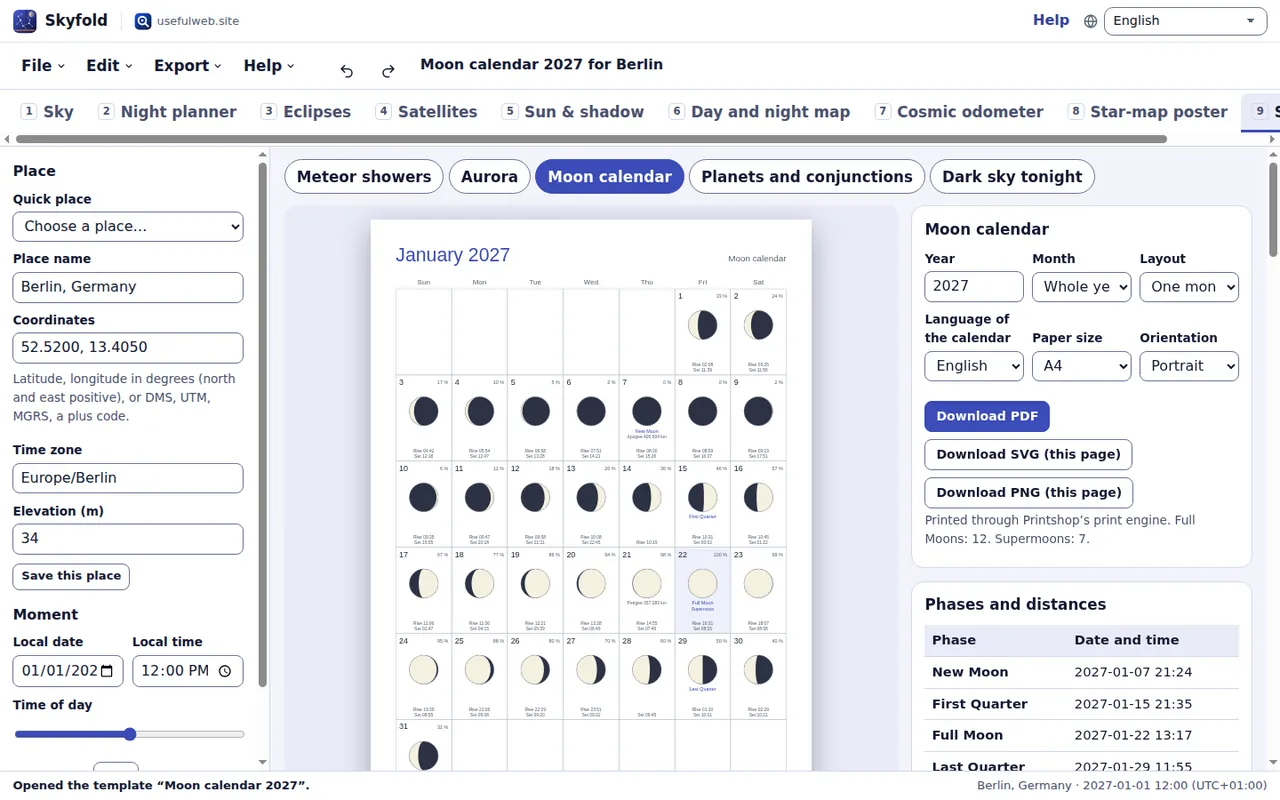
Choose the Year, a Month or Whole year, the Layout (One month per page or Whole year on one page), the Language of the calendar, the Paper size and the Orientation. Month and weekday names follow the calendar language; the other printed words follow the language of this site. Use Previous page and Next page to look through a year.
Download PDF saves all pages as a vector PDF made by Printshop's print engine, with embedded fonts for all 17 languages. Download SVG (this page) and Download PNG (this page) save the page you see.
The tables on the right list the exact times of the phases, perigees and apogees and the supermoons.
Planets and conjunctions
Planets and conjunctions lists the close pairings of the Moon and the planets, the oppositions of Mars to Neptune and the greatest elongations of Mercury and Venus, starting at the date in the side panel. Set Months from the date on the left, how close planet pairs (Planet pairs within (°)) and Moon pairs (Moon and planet within (°)) must come, and whether to Include the Moon.
Each line shows the closest moment and when to look: the evening or morning twilight closest to the event in which both objects are at least 5° high, with their height, direction and how far apart they are then. Oppositions show the planet's highest point that night. Events lost in the Sun's glare or below the horizon are counted but left out.
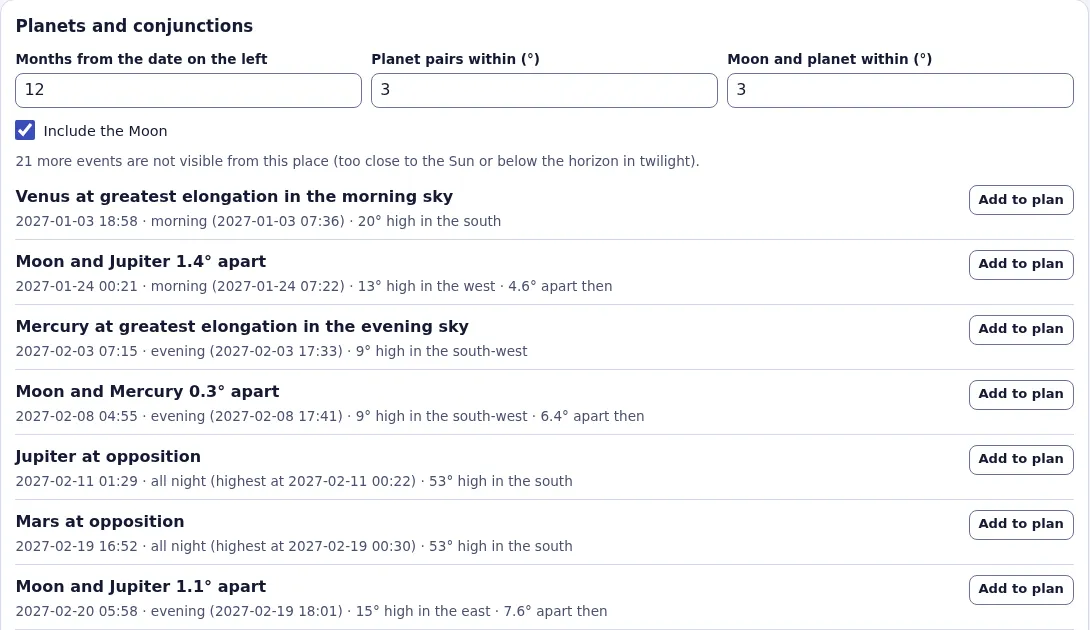
Add to plan copies an event into your observation plan; Download as a calendar (.ics) exports the whole list with a reminder 30 minutes before each viewing time. For the meteor showers and dark nights, see Meteor showers and dark nights.
Ready to try it?